
ChatGPT Prompts for Payroll Managers: A Comprehensive Guide
Leveraging ChatGPT for payroll tasks, especially with PDF document analysis, streamlines processes and boosts accuracy. Explore prompts for data extraction and error identification.
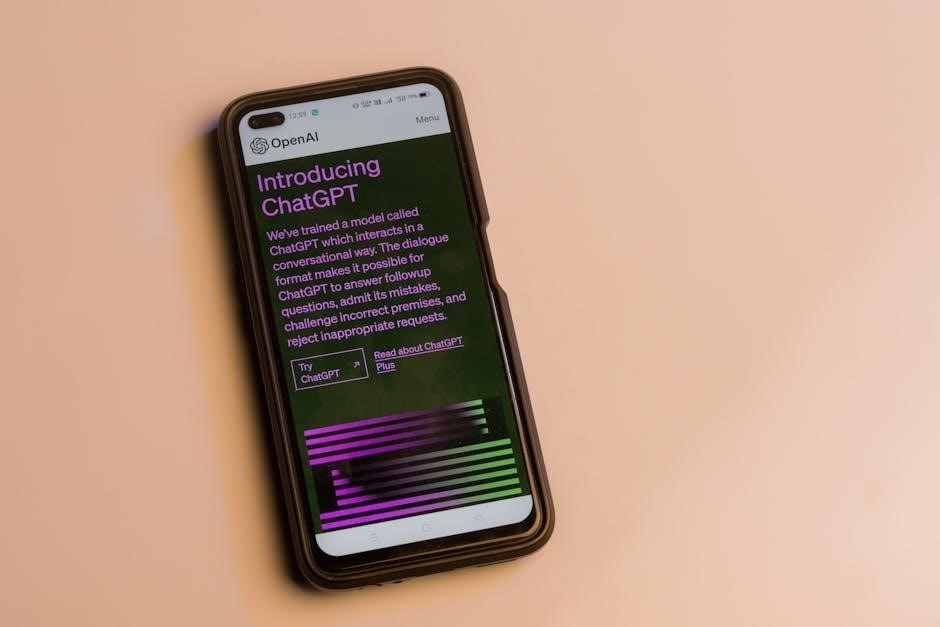
ChatGPT represents a significant leap in applying artificial intelligence to traditionally manual payroll processes. This conversational AI model, developed by OpenAI, excels at understanding and responding to complex queries in a human-like manner. For payroll managers, this translates into a powerful tool capable of automating tasks, improving accuracy, and freeing up valuable time.
Specifically, ChatGPT’s ability to process and interpret information from PDF documents – like payroll reports and tax forms – is particularly impactful. It can extract key data points, summarize lengthy documents, and even identify potential errors within scanned files. This capability addresses a common pain point for payroll professionals dealing with paper-based or digitally formatted reports. The increasing adoption of ChatGPT, with over 700 million weekly users, highlights its growing relevance in business applications, including payroll management.
Understanding the Benefits of AI in Payroll
Integrating AI, like ChatGPT, into payroll offers substantial benefits. Automation of repetitive tasks – such as data entry from PDF reports – reduces manual effort and minimizes errors. AI’s analytical capabilities enhance accuracy in calculations, particularly with complex scenarios like garnishments or stock options. This leads to improved compliance and reduced risk of penalties.
Furthermore, AI facilitates faster response times to employee inquiries, improving satisfaction. The ability to quickly extract information from PDF tax forms and payroll summaries streamlines reporting processes. With over 700 million weekly ChatGPT users, the technology’s proven conversational interface makes it accessible to all payroll staff. Ultimately, AI empowers payroll managers to focus on strategic initiatives rather than routine administrative duties.
Core ChatGPT Prompts for Daily Tasks
Utilize ChatGPT for routine payroll functions, including PDF data extraction, paycheck summary generation, and addressing common employee questions efficiently and accurately.
Prompt 1: Generating Employee Paycheck Summaries
To automate paycheck summary creation, provide ChatGPT with employee data – name, ID, pay period, gross pay, deductions (taxes, insurance, garnishments), and net pay. Specify the desired format: “Generate a paycheck summary for [Employee Name] (ID: [Employee ID]) for the period ending [Date]. Gross pay: [Amount]. Deductions: [List]. Net pay: [Amount].”
For PDF-based summaries, upload the PDF and prompt: “Extract employee name, ID, gross pay, deductions, and net pay from this paycheck PDF and format it as a concise summary.” Refine prompts by requesting specific deduction breakdowns or year-to-date totals. Always verify ChatGPT’s output against original payroll records for accuracy, especially when dealing with complex deductions or multiple PDFs.
Prompt 2: Calculating Tax Withholdings
Accurately calculating tax withholdings is crucial. Provide ChatGPT with employee’s W-4 information (filing status, allowances, extra withholding), gross pay, and pay frequency. A sample prompt: “Calculate federal and state income tax withholdings for an employee with [Filing Status], [Allowances], and gross pay of [Amount] paid [Frequency].”
If W-4 forms are in PDF format, prompt: “Extract filing status, allowances, and any additional withholding amounts from this W-4 PDF. Then, calculate federal and state income tax withholdings for gross pay of [Amount].” Remember to specify the state. Always cross-reference ChatGPT’s calculations with official tax tables and payroll software to ensure compliance and accuracy, particularly with changing tax laws.
Prompt 3: Addressing Common Employee Payroll Questions
ChatGPT excels at handling frequently asked payroll questions. Train it with a knowledge base of common inquiries and answers. Example prompt: “An employee asks, ‘What is the difference between gross pay and net pay?’ Provide a clear and concise explanation.” For complex questions referencing pay stubs (often PDFs), prompt: “Based on the information in this pay stub PDF, explain the deductions to an employee in simple terms.”
You can also ask ChatGPT to draft email responses. Prompt: “Draft an email explaining how vacation time affects pay, referencing company policy [Policy Number].” Always review ChatGPT’s responses for accuracy and clarity before sharing them with employees, ensuring they align with company policies and legal requirements.
Advanced ChatGPT Prompts for Complex Scenarios
Tackle intricate payroll challenges using ChatGPT. Analyze PDF tax forms and legal documents to ensure accurate calculations and compliance with evolving regulations.
Prompt 4: Handling Garnishment Calculations
Garnishment calculations are notoriously complex, varying by state and court order. ChatGPT can assist by interpreting PDF garnishment orders and applying the correct withholding rules. A strong prompt would be: “Act as a payroll specialist. I have a PDF of a wage garnishment order from [State] court. The employee’s disposable earnings are [Amount]. Calculate the maximum amount that can be withheld for this garnishment, considering federal and state limitations. Provide a step-by-step breakdown of your calculation, referencing relevant legal guidelines. Also, identify any potential errors or ambiguities in the PDF document that require clarification.”
Further refine the prompt by specifying the type of garnishment (child support, tax levy, etc.) for more accurate results. Remember to always verify ChatGPT’s output against official sources;
Prompt 5: Managing Stock Option Payroll
Stock option exercises create unique payroll challenges, involving fair market value determination and potential tax implications. ChatGPT can help decipher complex stock option agreements, often received as PDFs. A useful prompt: “I am a payroll manager. I have a PDF of an employee’s stock option grant agreement and exercise details. The fair market value on the exercise date was [Amount]. Calculate the taxable income resulting from this exercise, considering ISO vs. NSO status. Outline the necessary payroll entries, including W-2 reporting requirements. Also, identify any potential tax withholding considerations.”
Specify the type of stock option and relevant tax year for precise calculations. Always cross-validate with tax professionals.
Prompt 6: Calculating Bonuses and Commissions
Bonus and commission calculations can be intricate, especially with tiered structures or performance-based incentives. Often, these details are outlined in PDF-based plan documents. A strong ChatGPT prompt: “I’m a payroll manager. I have a PDF detailing our sales commission plan. An employee achieved [Sales Amount] in sales. Their commission rate is [Percentage] on sales up to [Threshold] and [Percentage] above that. Calculate their total commission earned. Also, determine the appropriate tax withholding based on their W-4 form, assuming a standard deduction.”
Include details about any bonus caps or clawback provisions for accurate results. Verify calculations independently.

Prompts for Payroll Compliance & Reporting
Utilize ChatGPT to generate accurate payroll reports from PDF data, ensuring adherence to tax regulations and state laws for seamless compliance.
Prompt 7: Generating Reports for Tax Filing (e.g., 941, W-2)
Harness ChatGPT’s power to automate the creation of essential tax forms like 941s and W-2s directly from payroll data contained within PDF reports. A sample prompt could be: “Extract all necessary data from the attached PDF payroll summary to populate a 941 form for the quarter ending [Date]. Include total wages, federal income tax withheld, Social Security and Medicare taxes, and employer contributions.”
Refine the prompt by specifying the exact PDF format and desired output format (e.g., CSV, text). ChatGPT can also assist in identifying potential discrepancies before submission. Remember to always verify the generated information against original source documents to ensure accuracy and compliance with IRS guidelines. This significantly reduces manual data entry and minimizes errors.
Prompt 8: Ensuring Compliance with State Payroll Laws
Navigating diverse state payroll laws is complex. Utilize ChatGPT to analyze PDF documents detailing state-specific regulations and apply them to your payroll data. A prompt example: “Based on the attached PDF of California payroll tax guidelines for 2026, calculate state income tax withholding for an employee earning $[Amount] per week, with [Number] exemptions.”
Specify the state and year for accurate results. ChatGPT can also help identify required deductions, minimum wage requirements, and reporting deadlines. Always cross-reference ChatGPT’s output with official state resources and legal counsel. This ensures adherence to constantly evolving regulations, minimizing potential penalties and legal issues related to non-compliance.
Prompt 9: Auditing Payroll Data for Accuracy
Payroll audits are crucial for identifying errors and preventing fraud. Leverage ChatGPT to analyze payroll data extracted from PDF reports. A sample prompt: “Review the attached PDF payroll register for the pay period ending [Date]. Identify any discrepancies between gross pay, net pay, and reported tax withholdings, flagging potential errors for review.”
ChatGPT can compare data points, detect unusual patterns, and highlight anomalies. It can also verify calculations and ensure consistency across different reports. Remember to provide clear instructions and specific criteria for identifying errors. Always validate ChatGPT’s findings with manual review and source documents to maintain data integrity and compliance.

Prompts for Process Improvement & Automation
Utilize ChatGPT to analyze PDF payroll processes, identify bottlenecks, and automate repetitive tasks like journal entries and documentation creation for efficiency.
Prompt 10: Identifying Payroll Errors and Discrepancies
Harness ChatGPT’s power to meticulously review payroll data extracted from PDF reports. A strong prompt would be: “Analyze this PDF payroll report [upload PDF]. Identify any discrepancies between gross pay, net pay, tax withholdings, and deductions. Flag any unusual patterns or outliers, such as significant changes in employee earnings or unexpected tax amounts. Specifically, check for common errors like incorrect hourly rates, overtime calculations, or missing deductions. Provide a detailed report outlining each discrepancy found, including the employee name, pay period, and the nature of the error. Prioritize errors exceeding a $50 threshold.”
This prompt leverages ChatGPT’s analytical capabilities to pinpoint inaccuracies within complex payroll documents, saving significant time and reducing the risk of costly mistakes.
Prompt 11: Automating Payroll Journal Entries
Streamline accounting processes by automating payroll journal entry creation using ChatGPT and PDF data. A robust prompt: “Based on the information within this PDF payroll report [upload PDF], generate the necessary journal entries in a standard accounting format (debit/credit). Include entries for salaries expense, payroll taxes, employee withholdings, and net pay. Categorize each entry with appropriate general ledger accounts. Ensure the entries balance and accurately reflect the payroll data. Output the journal entries in a CSV or text format suitable for import into accounting software. Specify the accounting period.”
This prompt transforms PDF payroll data into readily usable accounting entries, minimizing manual input and enhancing efficiency.
Prompt 12: Creating Payroll Process Documentation
Efficiently develop comprehensive payroll process documentation with ChatGPT, utilizing insights from existing PDF resources. A detailed prompt: “Analyze this PDF document detailing our current payroll procedures [upload PDF]. Create a step-by-step guide outlining the entire payroll process, from data collection to payment disbursement and reporting. Include sections on pre-payroll tasks, calculation of wages and taxes, payment methods, and post-payroll reconciliation. Format the documentation with clear headings, numbered steps, and relevant screenshots from the PDF. Ensure the guide is easily understandable for new payroll staff and compliant with current regulations.”
This prompt generates clear, concise documentation, improving training and consistency.
Specific Prompts for PDF Document Analysis
Unlock insights from payroll PDFs! ChatGPT excels at extracting data, summarizing tax forms, and identifying errors within scanned documents for enhanced accuracy.
Prompt 13: Extracting Data from Payroll Reports (PDF)
Utilize ChatGPT to efficiently extract crucial data points directly from your payroll reports in PDF format. A sample prompt could be: “Extract all employee names, social security numbers, gross pay, net pay, and total taxes withheld from the attached payroll report PDF. Present the data in a CSV format.”
Refine the prompt by specifying the report’s date range or department. For complex reports, instruct ChatGPT to identify specific tables or sections. Remember to prioritize data security and anonymize sensitive information when possible. This automation significantly reduces manual data entry, minimizing errors and freeing up payroll staff for more strategic tasks. Ensure the PDF is clear and machine-readable for optimal results.
Prompt 14: Summarizing Key Information from Tax Forms (PDF)
ChatGPT excels at condensing complex tax form information from PDFs into easily digestible summaries. A prompt example: “Summarize the key tax liabilities and credits reported on the attached Form 941 PDF. Include total taxes due, adjustments, and any penalties assessed.”
Specify the desired summary format – bullet points, a short paragraph, or a table. For W-2 forms, ask ChatGPT to extract employee earnings, withholdings, and employer contributions. Always double-check the AI-generated summary against the original PDF to ensure accuracy. This process streamlines tax preparation and audit readiness, saving valuable time and reducing potential errors.
Prompt 15: Identifying Errors in Scanned Payroll Documents (PDF)
Utilize ChatGPT to detect inconsistencies within scanned payroll documents. A strong prompt: “Analyze the attached scanned payroll report PDF and identify any discrepancies in employee names, social security numbers, or payment amounts.”
Specify the expected data format to improve accuracy. For example, request ChatGPT to flag entries where the name doesn’t match the SSN. While ChatGPT isn’t foolproof, it can quickly highlight potential issues requiring manual review. Remember to always verify findings against the original document. This proactive error detection minimizes payroll inaccuracies and compliance risks, especially with older, scanned records.

Prompt Engineering Techniques for Payroll
Crafting effective prompts—like specifying “Act as a Payroll Specialist” or providing detailed context—significantly improves ChatGPT’s accuracy when processing PDF payroll data.
Prompt 16: Using Persona Prompting (e.g., “Act as a Payroll Specialist”)
Persona prompting dramatically enhances ChatGPT’s responses by instructing it to adopt a specific role. For payroll tasks involving PDF documents, begin your prompt with “Act as a seasoned Payroll Specialist with ten years of experience.” This directs the AI to apply relevant knowledge and reasoning.
For example, instead of simply asking, “Extract employee names and salaries from this PDF,” try: “Act as a seasoned Payroll Specialist with ten years of experience. Extract employee names, salaries, and tax IDs from the attached PDF payroll report, presenting the data in a CSV format.” This nuanced approach yields more accurate and contextually relevant results, especially when dealing with complex PDF layouts and varying data formats. It simulates expert analysis, improving data extraction and interpretation.
Prompt 17: Providing Context and Specific Instructions
Context is crucial when working with ChatGPT and PDF payroll documents. Don’t assume the AI understands the nuances of your specific payroll system or reporting requirements. Begin by clearly stating the document’s origin and purpose. For instance, “This PDF is a year-end W-2 form for employees of Acme Corp.”
Follow this with precise instructions. Instead of “Summarize this PDF,” specify: “Summarize the total wages paid, total taxes withheld (federal, state, and local), and the number of employees covered by this PDF W-2 form. Present the summary as bullet points.” The more detailed your prompt, the more accurate and useful the output will be, minimizing errors and saving valuable time during payroll processing and compliance checks.
Resources and Tools for ChatGPT & Payroll
Explore plugins designed for PDF analysis and data extraction, enhancing ChatGPT’s ability to process payroll reports and tax forms efficiently and accurately.
Prompt 18: Recommended ChatGPT Plugins for Payroll
Several ChatGPT plugins significantly enhance payroll processing, particularly when dealing with PDF documents. For extracting data from complex payroll reports and tax forms, consider plugins like “AskYourPDF” or “PDF.ai.” These tools excel at converting PDF content into a readable format for ChatGPT, enabling accurate data retrieval.
Furthermore, plugins specializing in OCR (Optical Character Recognition) can be invaluable for scanned payroll documents. “OCR.space” is a strong contender, improving ChatGPT’s ability to interpret text within images. When prompting, specify the desired data points (e.g., employee name, gross pay, tax withholdings) to refine the extraction process. Remember to prioritize plugins with robust data security measures to protect sensitive employee information.
Prompt 19: Best Practices for Data Security with ChatGPT
When utilizing ChatGPT with sensitive payroll PDFs, prioritize data security. Avoid directly inputting entire documents containing Personally Identifiable Information (PII). Instead, extract only the necessary data points for specific prompts. Anonymize or redact sensitive information whenever possible before processing.
Review OpenAI’s data usage policies and ensure compliance with relevant privacy regulations (e.g., GDPR, CCPA). Utilize plugins with strong security certifications and avoid sharing confidential data with untrusted third-party applications. Regularly audit ChatGPT interactions and implement access controls to limit data exposure. Consider using a dedicated, secure instance of ChatGPT for payroll tasks to further mitigate risks.

Future Trends: AI and Payroll Management
AI will enhance predictive payroll analytics, automating PDF data insights and compliance. Expect smarter prompts, improved security, and personalized payroll experiences.
Prompt 20: Exploring the Potential of AI in Predictive Payroll Analytics
Imagine leveraging ChatGPT to analyze historical payroll data extracted from PDFs – W-2s, 941s, and employee expense reports – to forecast future payroll costs with remarkable accuracy. A powerful prompt could be: “Analyze the attached PDF payroll reports from the last three years. Identify trends in overtime pay, bonuses, and new hire costs. Predict total payroll expenses for the next quarter, accounting for anticipated salary increases and potential changes in tax laws.”
Further refine this by asking ChatGPT to pinpoint potential cost-saving opportunities or flag anomalies requiring investigation. The goal is to move beyond reactive payroll processing to proactive financial planning. AI can identify patterns humans might miss, leading to better budgeting and resource allocation. Consider prompts focused on predicting employee turnover based on compensation data within the PDFs, allowing for proactive retention strategies.